
Assessment Content
Creating quizzes, tests, and evaluation tools for student assessment
Assessment Content Overview
Assessments in LetLMS provide comprehensive evaluation tools including quizzes, tests, assignments, and interactive evaluations to measure student learning and provide feedback.
Question Types
LetLMS supports various question formats to accommodate different learning styles and assessment needs:
Multiple Choice
- Single Correct Answer: Traditional multiple choice
- Multiple Correct Answers: Select all that apply
- Drop Down: Choose the most appropriate option
- Yes/No: Binary choice questions
Text-Based Questions
- Short Answer: Brief written responses
- Long Answer: Extended written responses
- Number: Number input
- Matching: Connect related items
File Upload
- File Upload: Allow students to upload files (documents, images, diagrams) as part of their assessment response
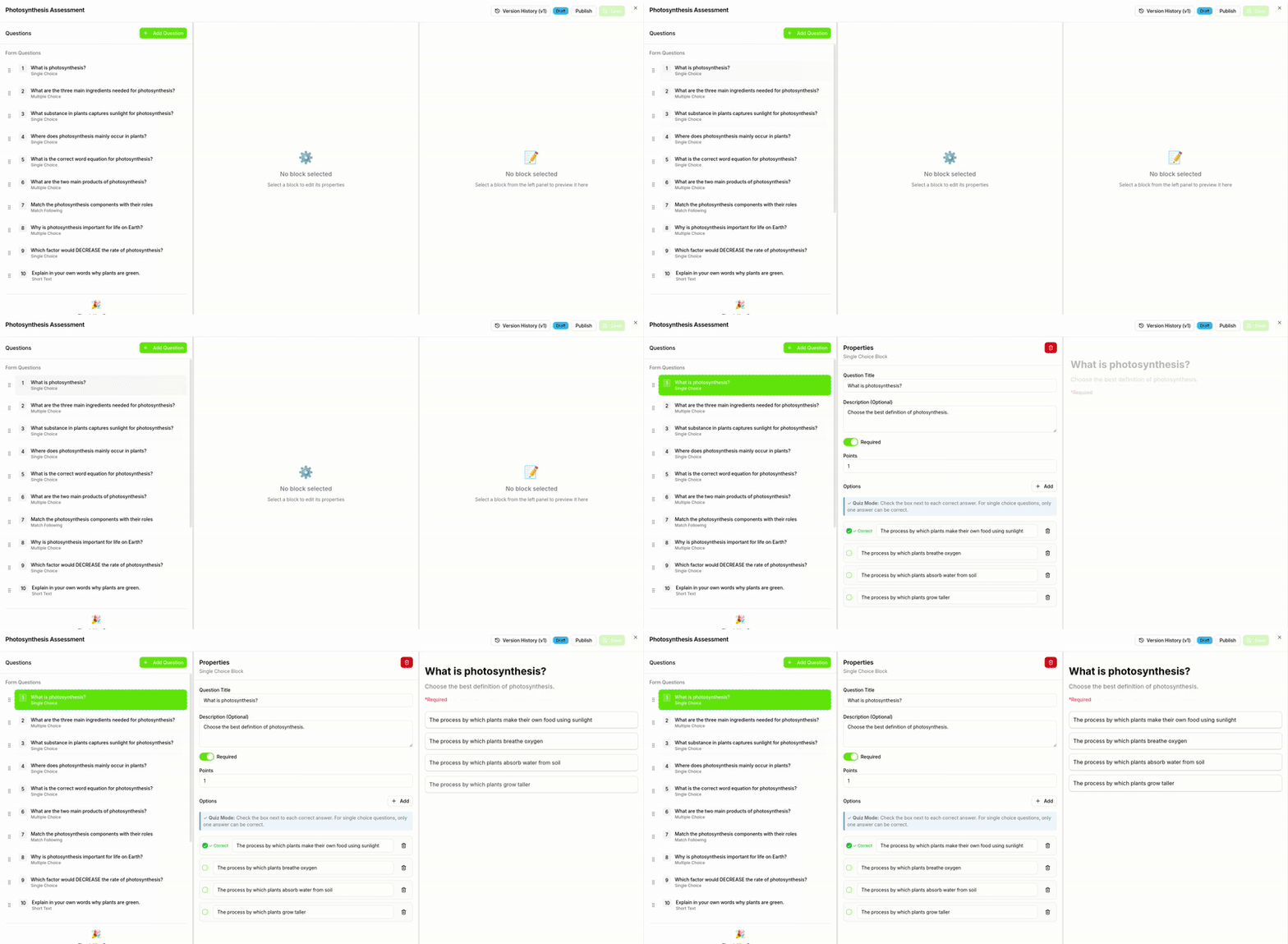
Creating Assessments
-
Add Assessment Content
- In the course editor, select "Add Content"
- Choose "Assessment" from content types
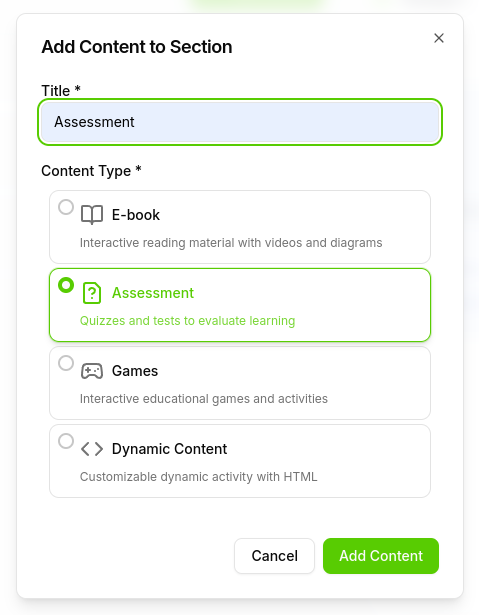
Add Assessment Block -
Add Assessment Questions
- Click on Add question button.
- Select the question type you want to add.
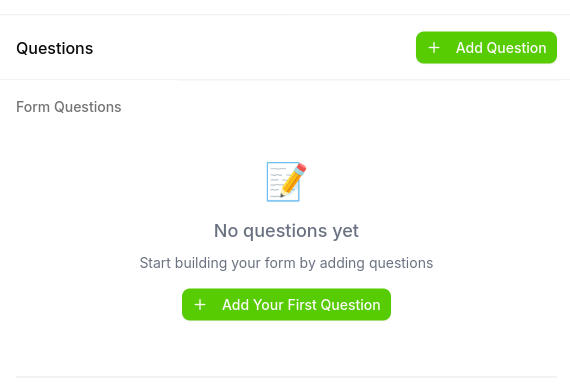
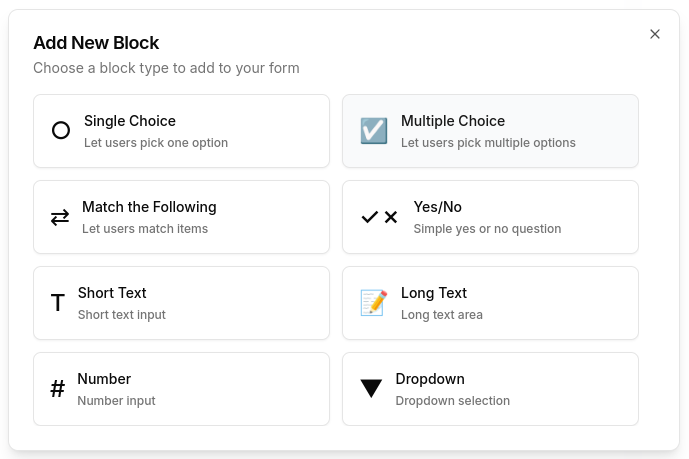
-
Edit question details
- Click on the question to edit.
- Edit the question details.
- Check the correct answer for quiz mode.
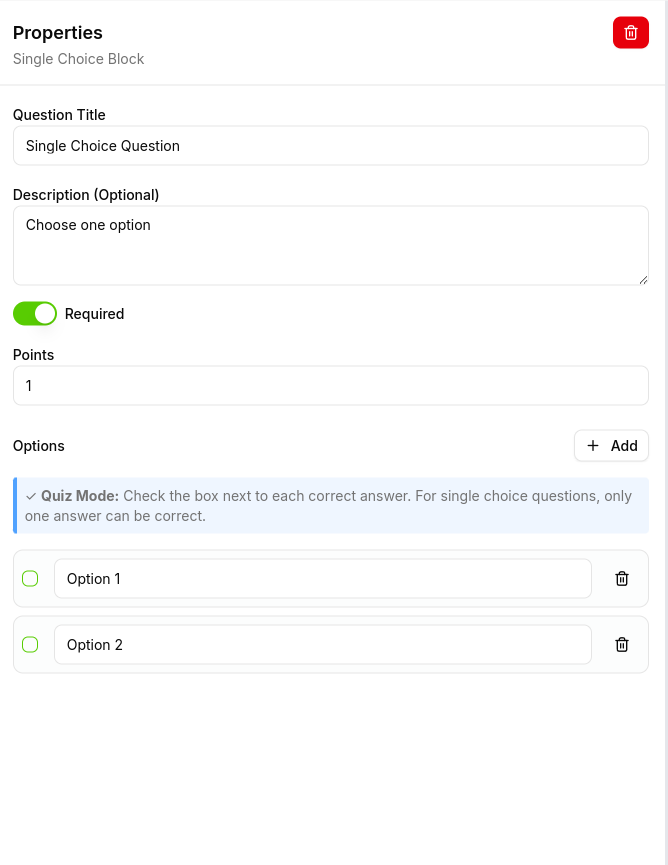
Edit Question Details
-
Thank you page
- Thank you page will appear after the student completes the assessment.
- Edit the thank you page details.
- Enable the display of the score and confetti by turning on the corresponding switch.
- Switch between quiz mode and other modes using the toggle.
- Allow students to view their quiz score by enabling the appropriate option.
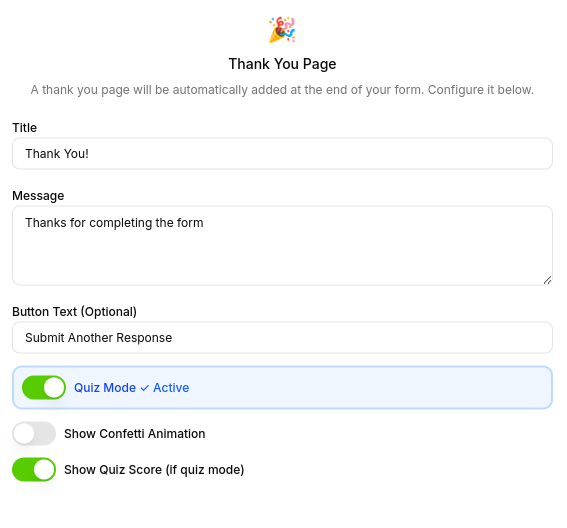
Edit Thank You Page
Adding a File Upload Question
The File Upload question type allows students to submit files such as documents, images, diagrams, or other materials as part of their assessment. This is useful for assignments that require students to upload their work, such as essays, drawings, lab reports, or project files.
How to Add a File Upload Question
- Click the "Add Question" button in the assessment editor to open the block type selector.
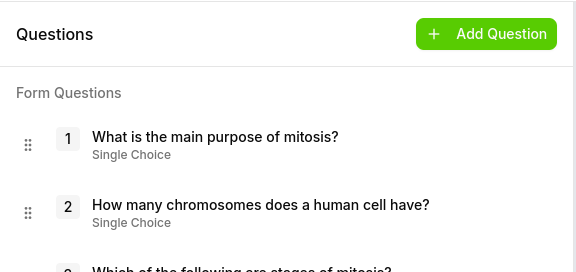
- Select "File Upload" from the list of available block types in the Add New Block dialog.
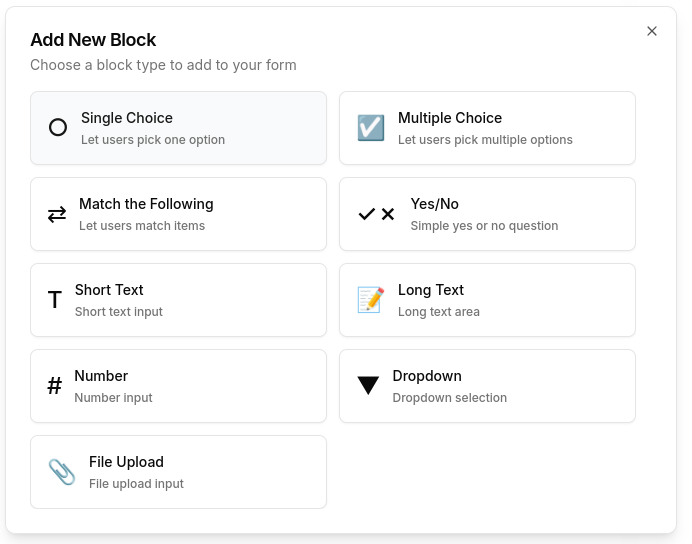
- Configure the question - Enter the question text describing what the student should upload (e.g., "Upload a diagram or image of a food chain or food web").
Explore other content types: