
Dynamic Content
Creating interactive simulations and virtual practical examples
Dynamic Content Overview
Dynamic Content in LetLMS allows educators to create highly interactive learning experiences. This content type is perfect for simulations, interactive demonstrations, and custom educational tools.
Creating Dynamic Content
Getting Started
-
Create Dynamic Content
- In the course editor, select "Add Content"
- Choose "Dynamic Content" from content types
- Enter the title and description of the dynamic content
- Click on Save button.
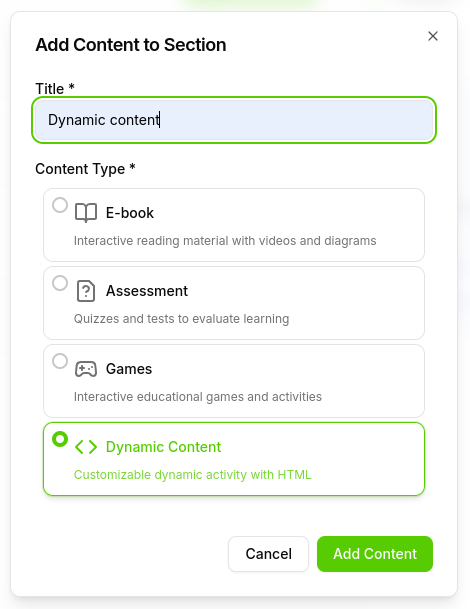
Add Dynamic Content -
Start With Template
- Click on the "Start With Template" button.
- Select the template you want to use.
- Click on the "Load Template" button.
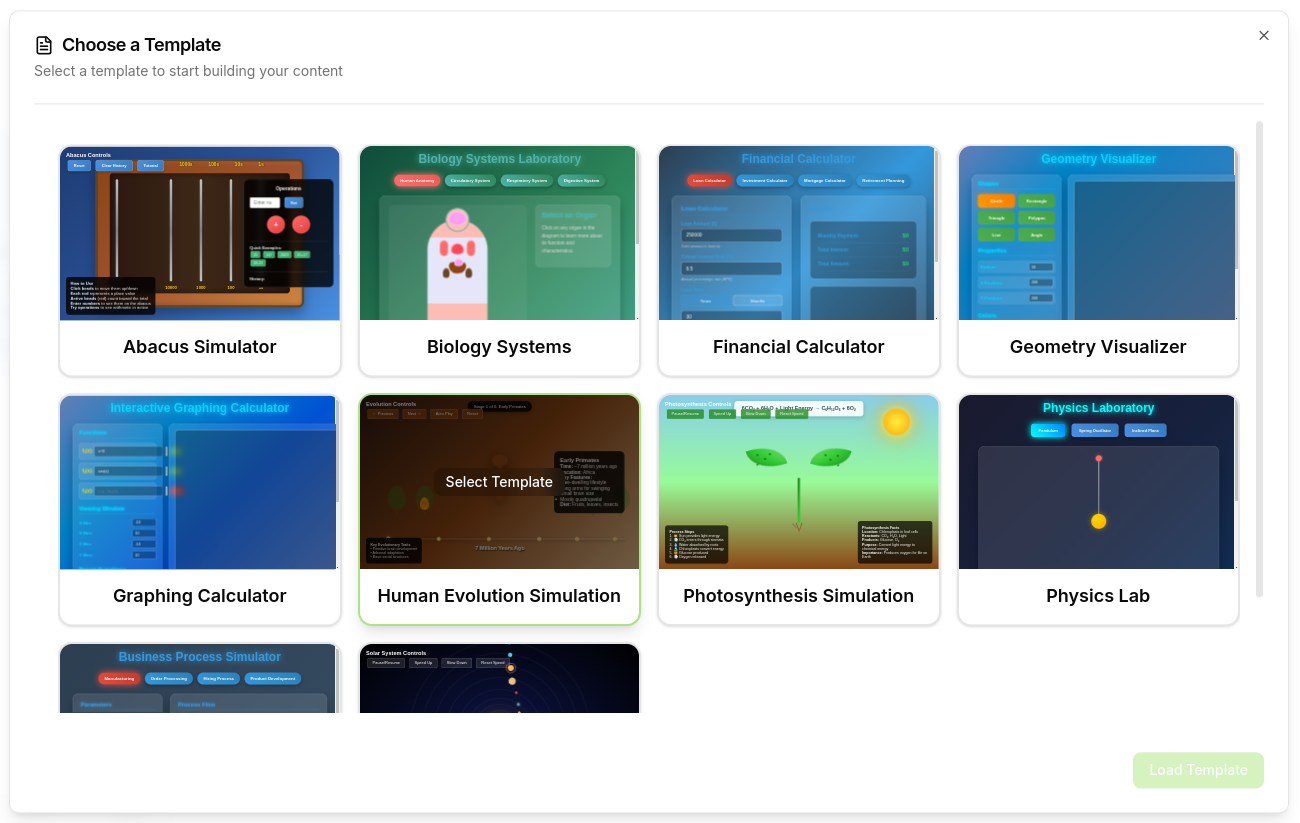
Dynamic Content Template -
Customize the Template
- Customize the template using the AI chat panel.
- Give instructions to the AI to customize the template.
- If you have a bit of coding knowledge, you can also customize the template using the HTML editor.
- Click on the "Save" button.
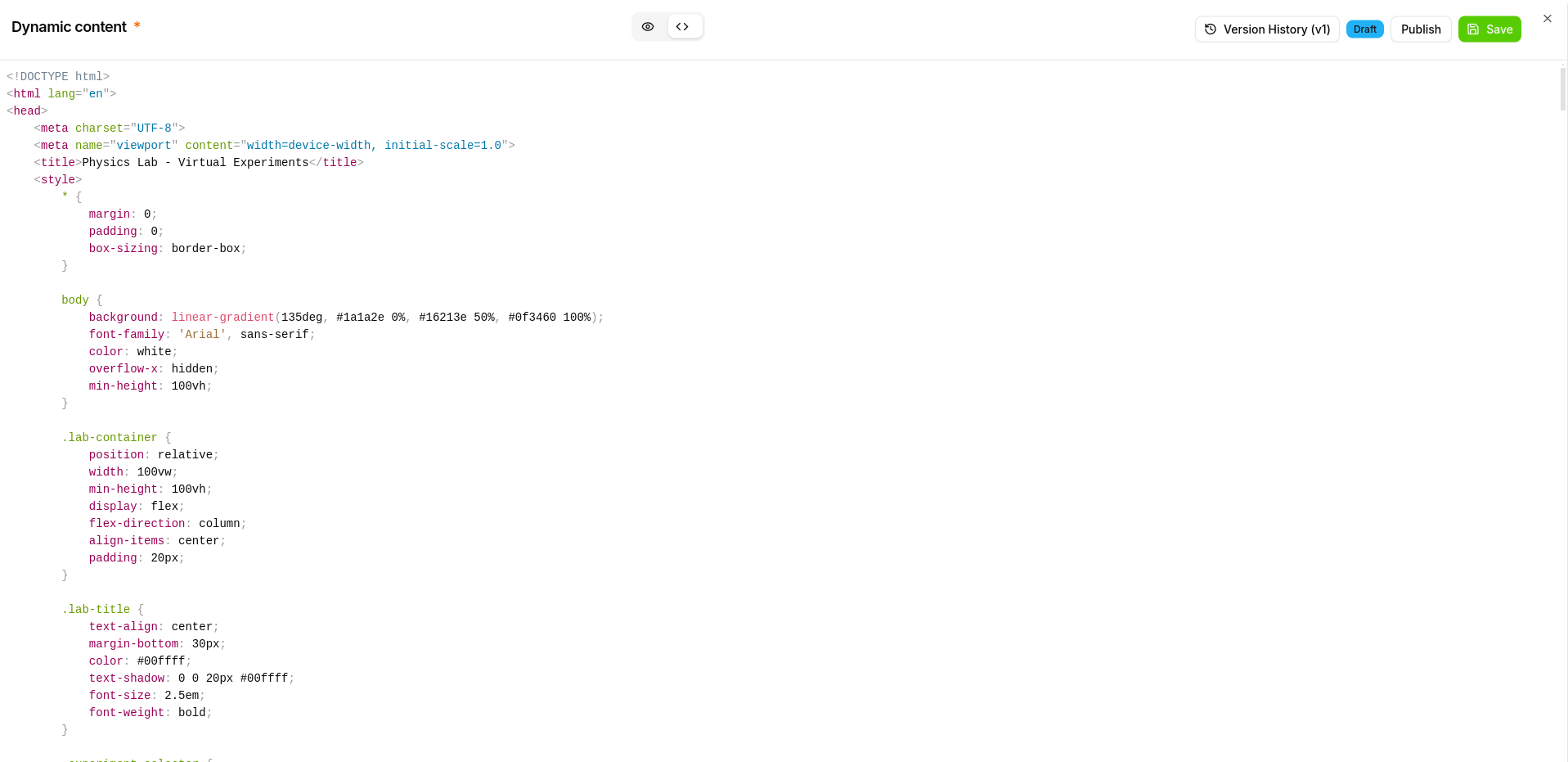
Dynamic Content HTML Editor
Key Advantages
- Full Creative Control: Create exactly what you need
- Responsive Design: Adapts to different screen sizes
- Accessibility Support: Works with assistive technologies
Explore other content types:
For technical support with dynamic content development, contact your system administrator or the support team.